 Android app
Vigie — Android priority alerts for important calls
Make the calls that really matter ring on Android, even when your phone is on silent, on vibrate or in Do Not Disturb mode.
Priority callsAn audible alert only for the numbers you choose.
Complete solutionWidgets, shortcuts, diagnostics and a background monitoring service.
PrivateEverything runs on your device; no data is sent anywhere
Rings in every situationThe alert uses the alarm channel to stay audible on silent or in DND.
You stay in controlOnly the numbers on your list can trigger Vigie.
Other calls stay quietVigie does not turn your phone into a permanent ringtone.
Built for privacyExplained permissions, built-in diagnostics and data stored locally.
How it works
Simple monitoring for real situations.
Vigie does not replace your ringtone. It adds one clear rule: some calls must not vanish into silent mode.
Add your important numbers
Family, school, doctor, on-call duty or a priority client: silence your ringer without fearing you will miss a critical call.
Keep monitoring active
Vigie runs in the background with a persistent notification, an Android widget and quick shortcuts.
Get a clear alert
Customise the alert to stay fully in control.
Priority alarm channel
Local data
Screenshots
A native, fluid Android interface
See the Free, Pro and Pro+ interfaces through real screenshots.
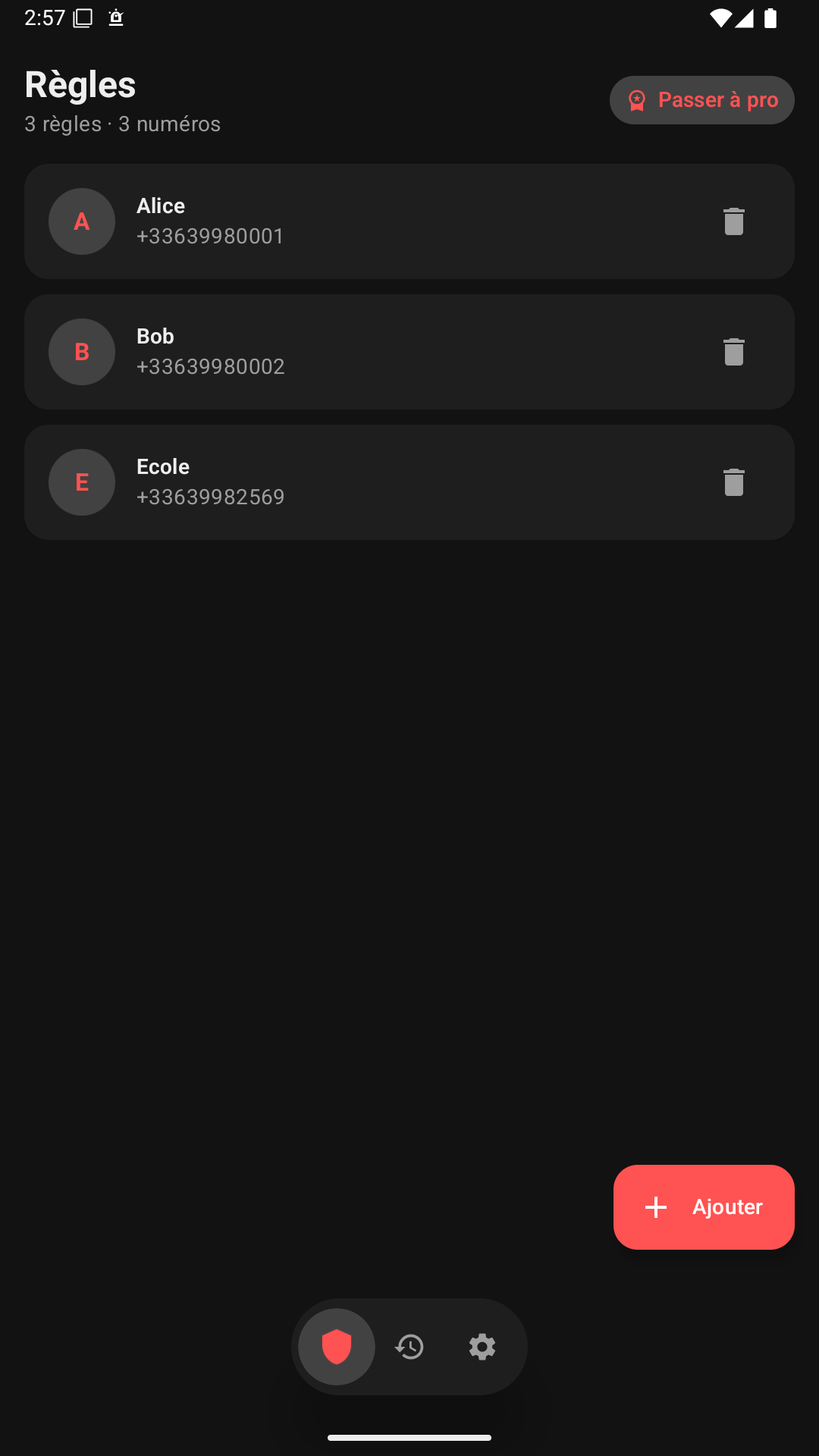
Free home screen
Numbers, groups and alert behaviours stay visible at a glance.
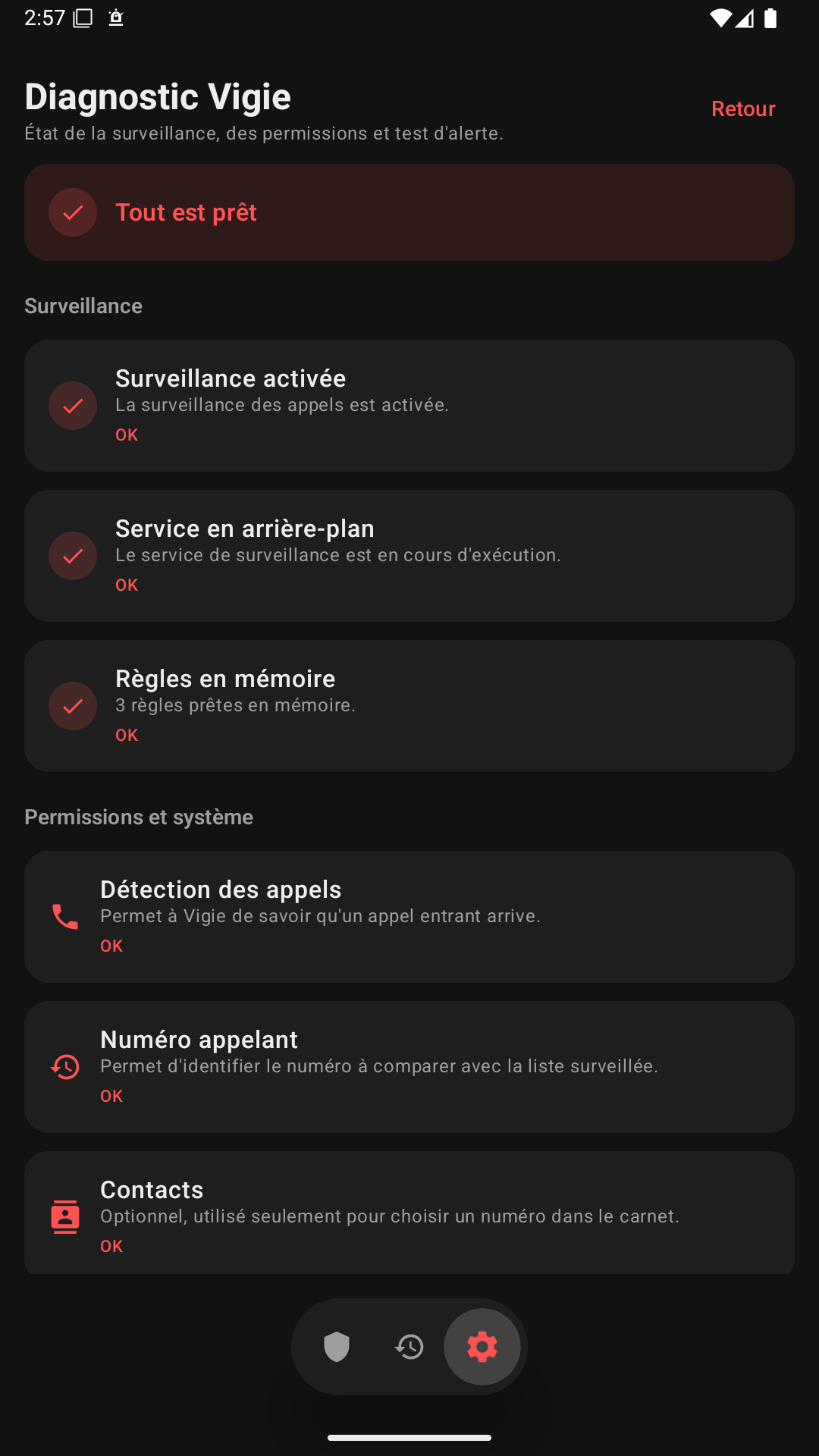
Diagnostics
Check Android permissions before relying on the alert.
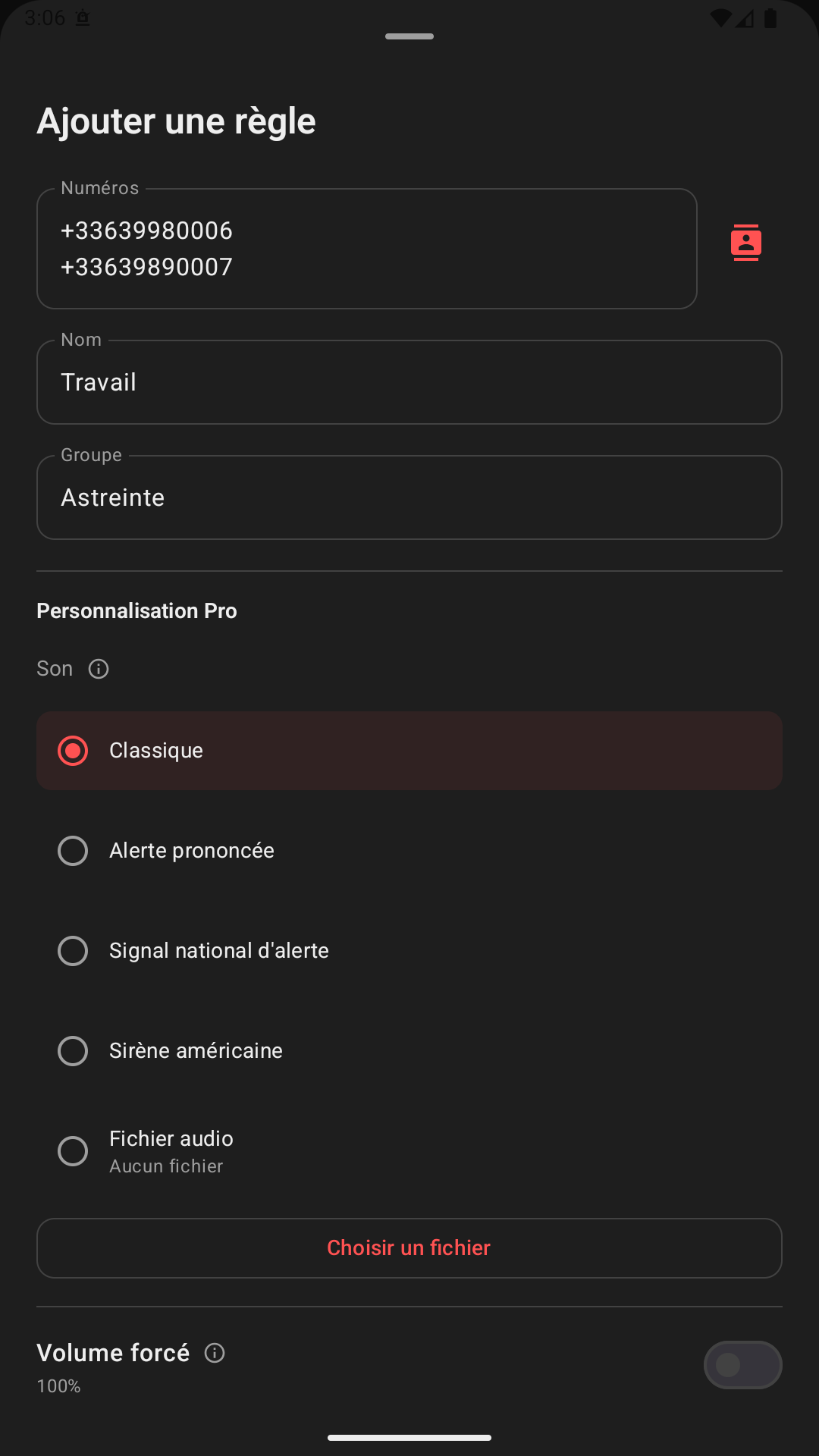
Pro rules
Create a simple rule, then refine its behaviour as needed.
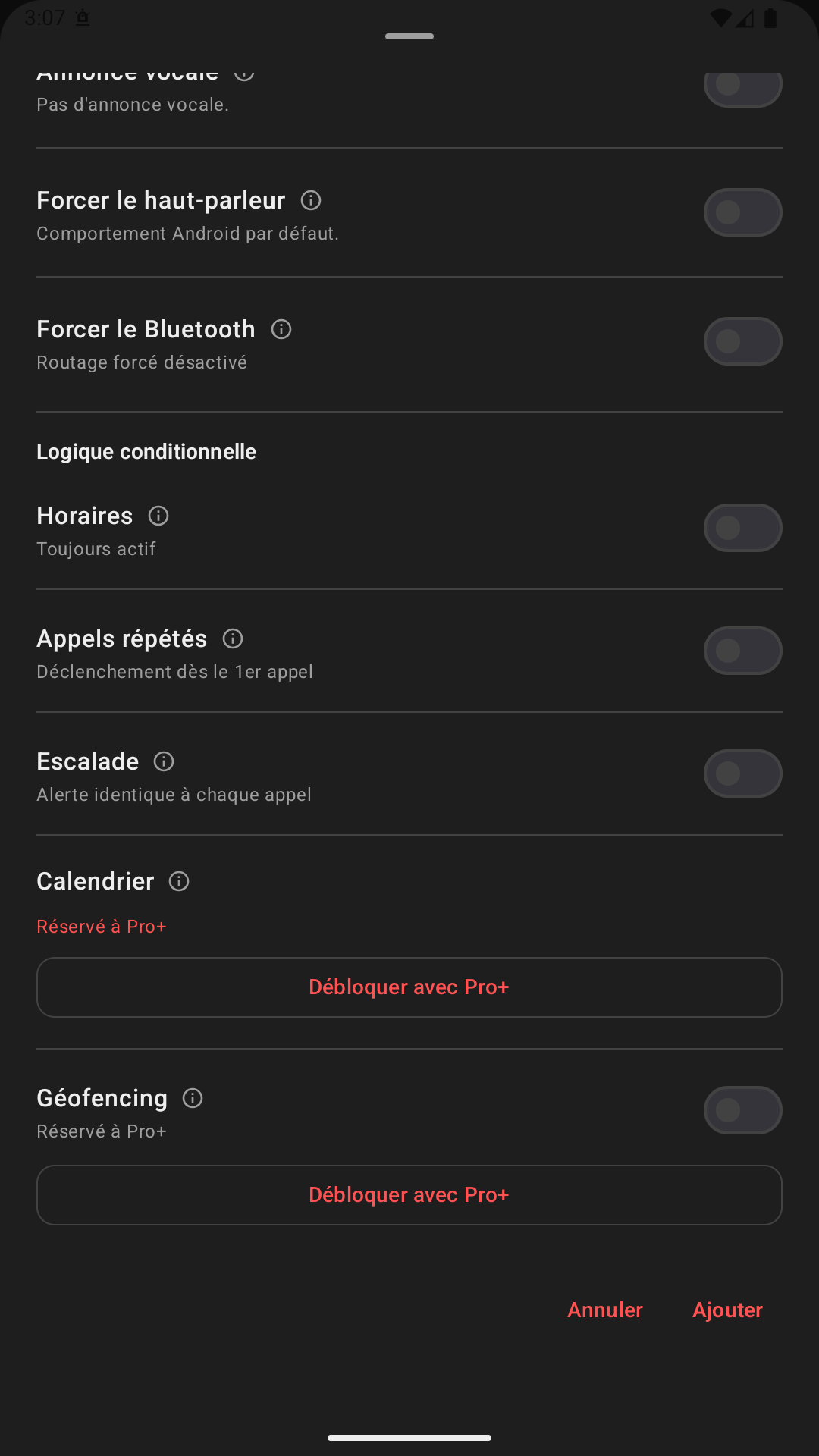
Fine tuning
Sounds, volume, vibration and alert behaviours can be set per rule.
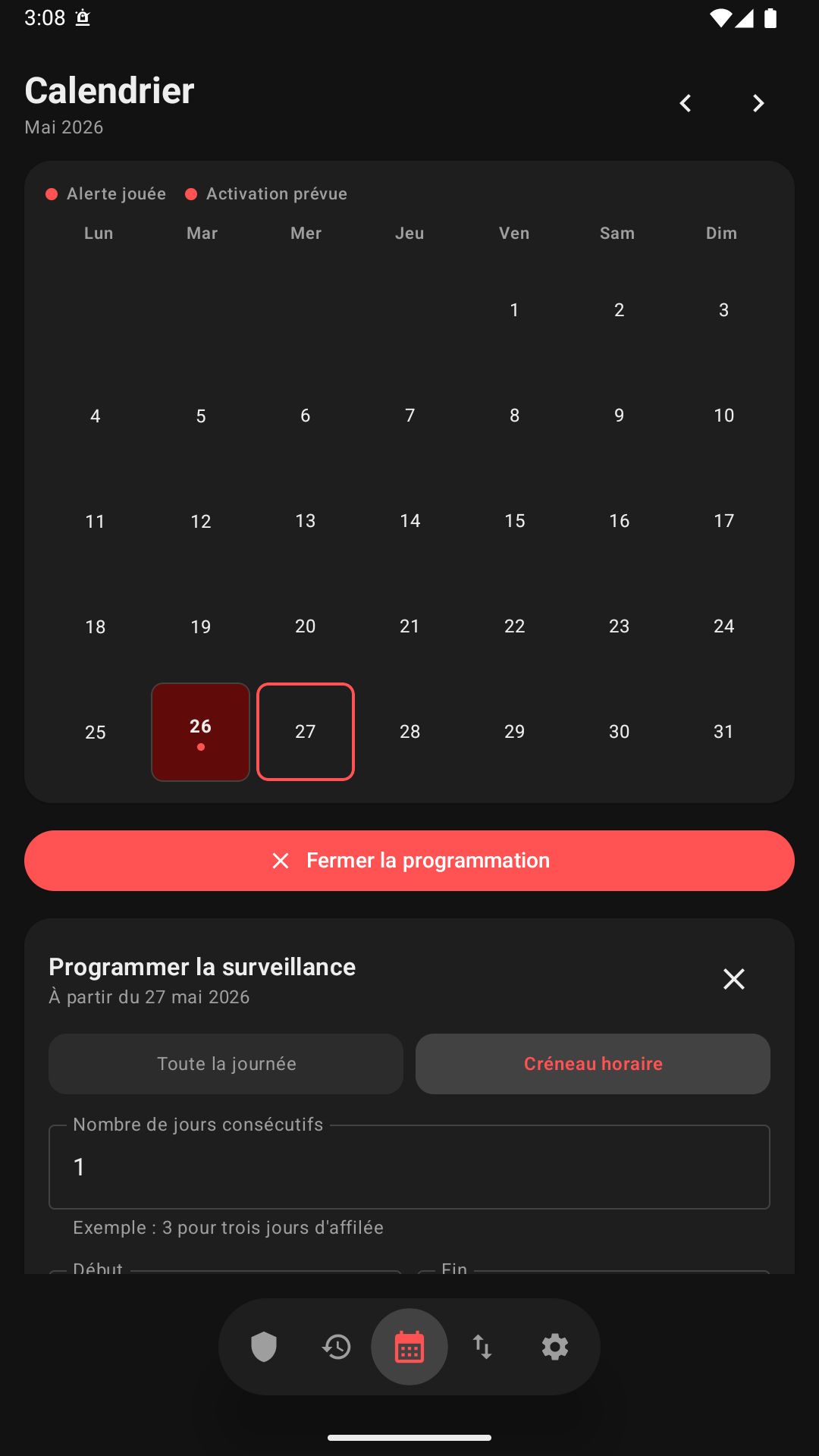
Pro+ calendar
Review past alerts and prepare future activations.
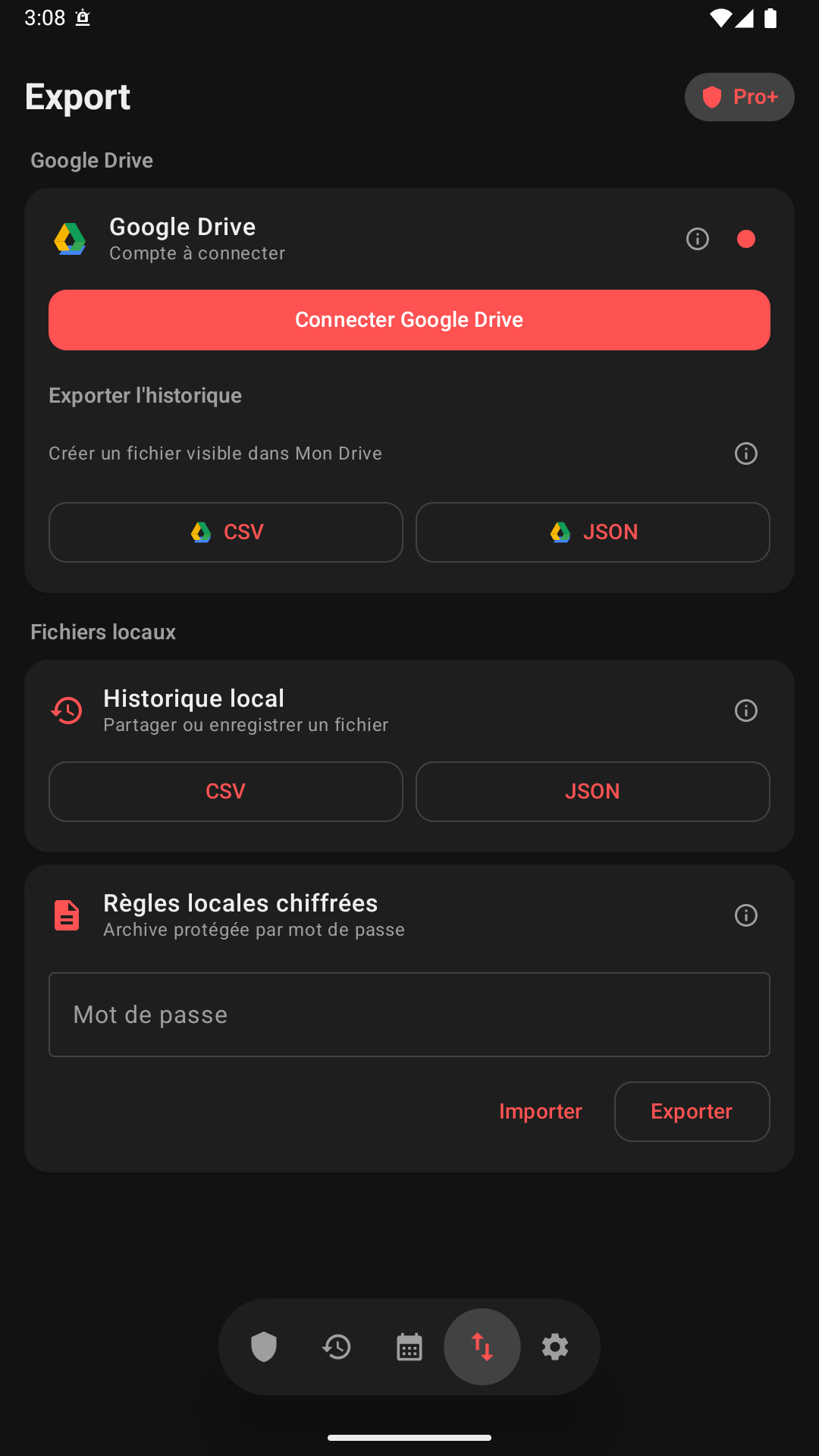
Pro+ exports
Backups, history and configuration transfer for Pro+.
Included features
An app designed to be useful to everyone, at every budget.
The launch version focuses on the essentials: monitor a few critical numbers, test the alert and stay in control.
Watchlist
Up to 3 numbers on the free plan, added by hand or picked from your contacts.
Built-in alert sounds
Pick a global sound from the bundled library and test it before relying on it.
Local history
Review the most recent triggers recorded on the device.
Temporary snooze
Pause monitoring briefly, then let Vigie switch itself back on.
Android widgets
Status, history and snooze stay reachable from the home screen.
Guided diagnostics
The health screen checks that the app is working, in real time.
Privacy
Your data never leaves your phone.
Vigie runs entirely locally: every permission is explained before it is requested, and nothing is sent to a third-party server.
Local-first commitment
- Your numbers, your rules and your history never leave your phone.
- No trackers, no ads, no Vigie server.
- Contact access is optional and only helps you find a number faster.
- Backups and exports go through your own Google Drive, and only if you ask for them.
Product scope
A free foundation, advanced options for demanding uses.
The Android plans come in three tiers: free for essential use, Pro for advanced rules, Pro+ for calendar, zones, backups and exports.
Included
Free
For the handful of numbers you cannot miss.
€0No sign-up
You watch a few numbers and you just want to be sure you hear them.
3 numbersSimple setup
- 3 monitored numbers
- 4 built-in global sounds
- History of the last 10 triggers
- Status widget and diagnostics
Advanced
Pro
My alerts, louder and sharper.
€2.49/monthor €24.99/year2 months free on the yearly plan Free trial included
Everyone deserves their own alert: a sound, a volume, a schedule. You decide who wakes you, and how.
UnlimitedThe most complete day to day
- Unlimited numbers and groups
- Sound, volume, vibration and flash per rule
- Schedules, repeated calls and escalation
- Unlimited searchable history
- Encrypted local backup of your rules
Business
Pro+
My on-call duty, organised.
€4.99/monthor €49.99/year2 months free on the yearly plan Free trial included
The calendar says when you are on call, the zone says where, the export is how you report on it.
CalendarDrive sync
Everything in Pro, plus:
- Calendar and geofencing
- Calendar view of alerts
- CSV or JSON exports
- Google Drive sync, encrypted on device
Frequently asked questions
Sensitive permissions, explained plainly.
Why does Vigie ask for phone permissions?
Android must allow the app to detect the state of an incoming call and the calling number, so it can be compared with your local rules.
Does Vigie read my whole address book?
Contact access is optional. It only helps you fill in a rule faster with the contact you select.
Is it reliable on every Android phone?
Behaviour depends on Android and on manufacturer restrictions. That is why Vigie ships with diagnostics and corrective actions.
Why is Vigie only available on Android?
Vigie relies on Android APIs that make it possible to detect incoming calls locally and trigger a priority alert. iOS does not grant third-party apps that level of access, notably for privacy and system-control reasons.
What can I do with the free version?
The free version lets you monitor up to 3 important numbers, use the built-in alert sounds, review the last 10 triggers and reach the status widget as well as the diagnostics.
Where does my data go?
It stays on the device. Vigie has no publisher server and collects no analytics.
Want to try Vigie on Android?
The app will be on Google Play soon. In the meantime, read the privacy policy to see how Vigie handles your data.